
table-part フロー・オブジェクト・クラスは、table フロー・オブジェクトをヘッダ・フッタ・ボディの 3 つの部分に分割する役割を持っています。ヘッダ・フッタ・ボディのそれぞれの部分は header、footer および主ポートにあらかじめ関連付けられており、table-row フロー・オブジェクトなどを生成する場合に、sosofo に対応するラベルを付けることになります[3]。
table-part がある場合、table の直接の子は table-part のみに制限されることに注意してください。table-column や table-row、table-cell はすべて table-part の子になるよう記述する必要があります。リスト 5.8 やリスト 5.10の例であれば、tgroup タグをtable-part に結び付けるのが最も自然な指定と考えられます。
table-part を用いたスタイルシートの例をリスト 5.12に示します。これはリスト5.11を table-part の使用にあわせて一部変更したものです。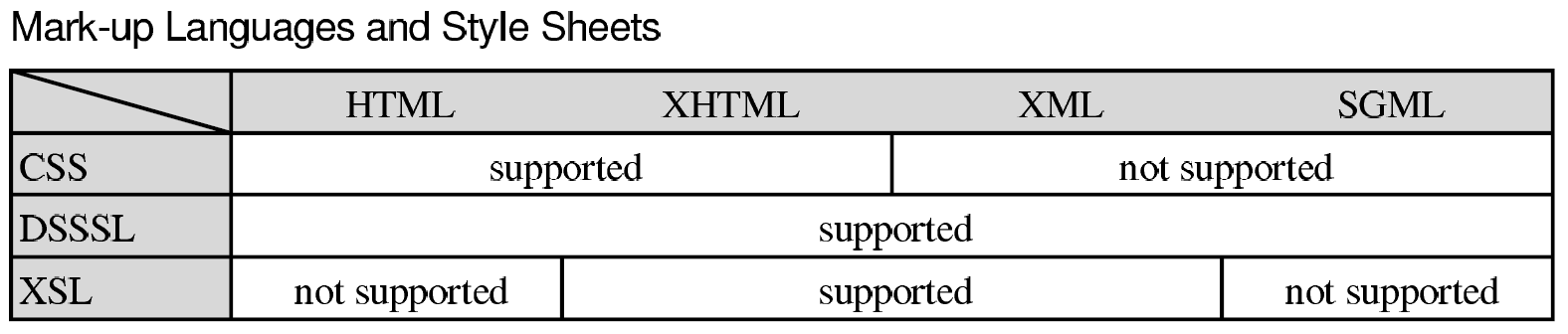
table-part がある場合、table の直接の子は table-part のみに制限されることに注意してください。table-column や table-row、table-cell はすべて table-part の子になるよう記述する必要があります。リスト 5.8 やリスト 5.10の例であれば、tgroup タグをtable-part に結び付けるのが最も自然な指定と考えられます。
table-part を用いたスタイルシートの例をリスト 5.12に示します。これはリスト5.11を table-part の使用にあわせて一部変更したものです。
リスト 5.12 [ table4.dsl ]
<!DOCTYPE style-sheet PUBLIC "-//James Clark//DTD DSSSL Style Sheet//EN">

<style-sheet>
<style-specification>
<style-specification-body>

(define *device-rgb*
  (color-space "ISO/IEC 10179:1996//Color-Space Family::Device RGB"))

(define *gray80* (color *device-rgb* 0.8 0.8 0.8))
(define (rowhead?)
  (equal? (attribute-string "colname") "rowhead"))

(define (cell-align)
  (let ((attr (attribute-string "align")))
    (case attr
    (("right") ’end)
    (("center") ’center)
    (("justify") ’justify)
    (else ’start))))

(define (colname-to-colnum name)
  (case name
    (("html") 1)
    (("xhtml") 2)
    (("xml") 3)
    (("sgml") 4)
    (else 0)))

(define (spancols)
  (let ((stnum (colname-to-colnum (attribute-string "namest")))
        (endnum (colname-to-colnum (attribute-string "nameend"))))
    (if (or (equal? stnum 0) (equal? endnum 0)) 0 (- endnum stnum))))

(element article
  (make simple-page-sequence
    page-width: 210mm
    page-height: 297mm
    top-margin: 30mm
    bottom-margin: 20mm
    left-margin: 30mm
    right-margin: 30mm))

(element (article title)
  (make paragraph
    font-size: 18pt
    line-spacing: 18pt
    quadding: ’center
    space-after: 20mm))

(element table
  (make sequence
    (make paragraph
      font-family-name: "Helvetica"
      space-after: 8pt
      (process-matching-children ’title))
    (make table
      table-border: #t
      (process-matching-children ’tgroup))))

(element tgroup
  (make table-part))

(element colspec
  (make table-column
    width: (* 1mm (string->number
                   (attribute-string "colwidth")))))

(element (thead row)
  (make table-row
    label: ’header))

(element (tbody row)
  (make table-row))

(element (thead row entry)
  (make table-cell
    cell-before-column-margin: 2pt
    cell-after-row-margin: 4pt
    cell-after-column-border: (rowhead?)
    cell-after-row-border: #t
    cell-background?: #t
    background-color: *gray80*
    cell-crossed: (if (rowhead?) ’with #f)
    (make paragraph
      quadding: (cell-align))))

(element (tbody row entry)
  (make table-cell
    cell-before-column-margin: 2pt
    cell-after-row-margin: 4pt
    cell-before-row-border: #t
    cell-after-column-border: #t
    cell-background?: (rowhead?)
    n-columns-spanned: (+ 1 (spancols))
    background-color: *gray80*
    (make paragraph
      quadding: (cell-align))))

</style-specification-body>
</style-specification>
</style-sheet>
colspec タグや entry タグの指定には変更がありませんが、row タグの指定が thead タグに属するものと tbody タグに属するものとに分割されています。
まず、table-column は必ず主ポートとして生成するという規則があります。このため、colspec タグの指定はそのままになっています(言い換えると、ヘッダやフッタの列数をボディと異なる数にすることはできません。また各列の幅はすべて同一になります)。
次に entry タグですが、これらは row タグに指定されたラベル付き sosofo の子として table-row にぶら下がる格好になりますので、こちらではラベルの指定は行ないません。ラベルを指定してポートを形成するのは、あくまでも row タグに対してであり、かつラベル付けが行なわれるのは table-part が処理される間に一度だけである点に注意してください。
table-part はこれらの指定に従って表をフォーマットします。単純に table を使った場合と table-part を使った場合の違いは、主に表が分割された場合にヘッダやフッタが自動的に補われるかにあります。また、ヘッダ・フッタ・ボディの指定が明確になること、文書上でヘッダ・フッタがボディより先になっている場合でも、スタイルシートの記述が比較的に素直にまとめられる点などが利点として挙げられます。
図 5.10 table3.xml(リスト 5.10)のフォーマット例
[3]ポートに関しては p.136参照。